
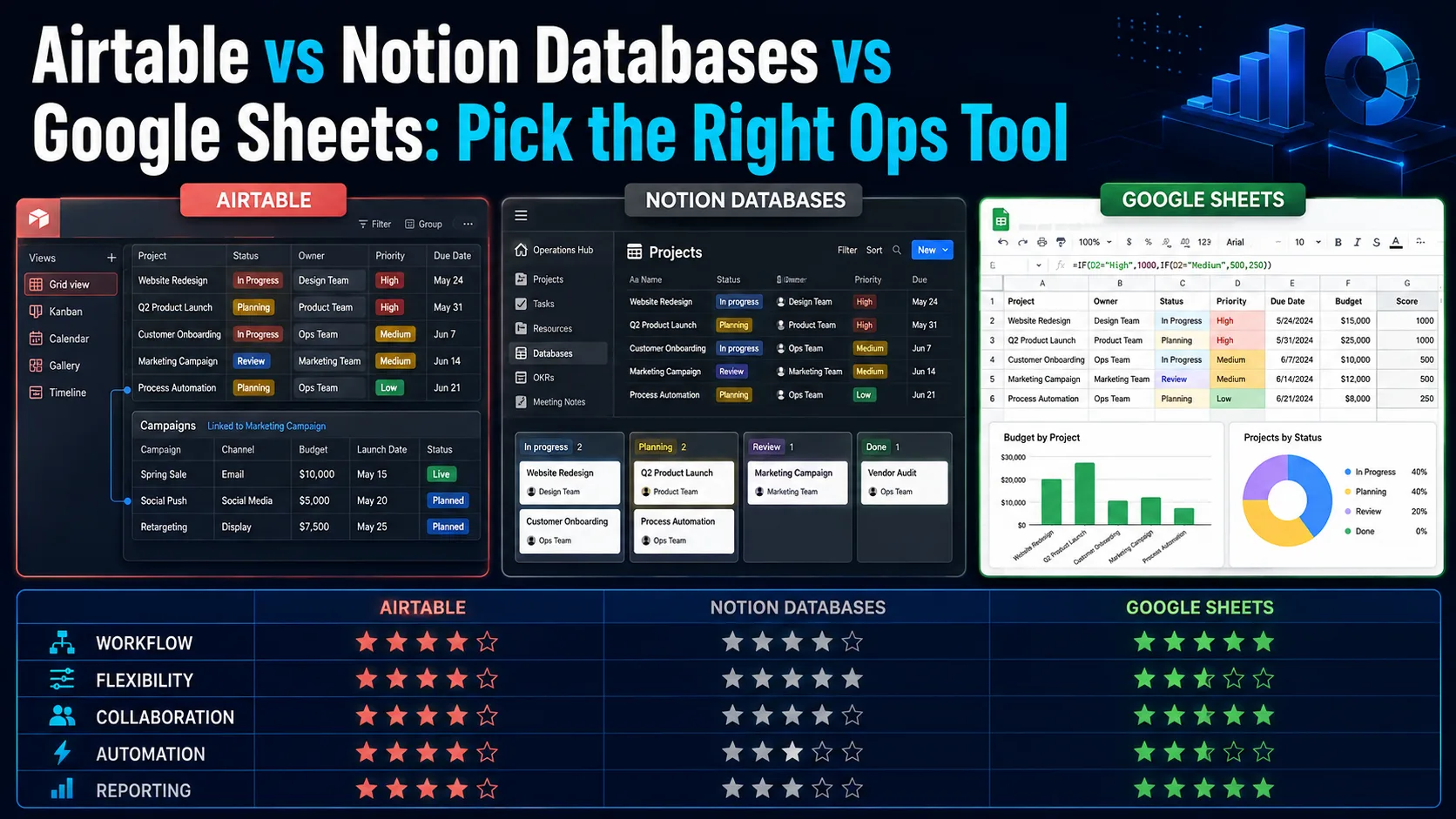
Choosing between Google Sheets, Airtable, and Notion databases can make or break your team's operations. Discover which tool fits your workflow, data complexity, and automation needs.
The Modern Operations Dilemma
Modern startups and digital teams face a constant challenge in organizing their data and managing daily operations efficiently. Traditional spreadsheets are no longer sufficient on their own to handle complex workflows, while building custom software is often too expensive and time-consuming. This is where flexible, no-code operational tools step in to bridge the gap.
Google Sheets, Airtable, and Notion databases are currently the leading choices in the market, each offering a fundamentally different philosophy for handling data. Choosing the right tool depends entirely on the nature of your team's tasks, your data volume, and your need for automation and cross-departmental connectivity. In this guide, we will break down the strengths and weaknesses of each tool to help you make the right choice.
Google Sheets: The Unrivaled Calculator
Google Sheets remains the default choice for millions worldwide due to its simplicity and unmatched capability in performing complex mathematical calculations. If your operations rely heavily on raw numbers, financial modeling, budgeting, and ad-hoc data analysis, traditional spreadsheets are still your best bet. It offers absolute flexibility in writing custom formulas and formatting individual cells.
However, the weaknesses of Google Sheets become apparent when you try to use it as a relational database for project management or tracking complex workflows. Traditional spreadsheets lack the ability to naturally link records across different sheets, often leading to data duplication and human errors that can easily break formulas as your dataset grows.
Airtable: The Relational Powerhouse
Airtable represents a massive leap forward in data management, combining the familiar interface of a spreadsheet with the robust power of a relational database. It allows you to strictly define data types for each column and link different tables together to create a unified, highly structured information system. This makes it ideal for supply chain management, inventory tracking, and complex content production pipelines.
Airtable also shines with its powerful built-in automation engine, enabling you to send automated notifications, update records based on custom conditions, and integrate seamlessly with hundreds of external apps. Furthermore, it offers multiple views of the same data—such as Kanban boards, calendars, and Gantt charts—giving your team complete flexibility in how they visualize their work.
Notion Databases: Context and Knowledge Integration
Notion's philosophy differs from other tools by focusing on merging structured data with rich textual and document context. In Notion, a database is not just a collection of rows and columns; every single row is a fully customizable page that can hold documents, images, meeting notes, and team discussions. This makes it the ultimate tool for building company wikis and managing projects that require deep documentation.
While highly flexible for knowledge management, Notion databases lack the raw computational power and advanced statistical features of Google Sheets. They also do not offer the same level of high-volume data processing and complex native automations found in Airtable. It is fundamentally designed to keep your team's tasks and documentation living together in harmony.
Key Decision Factors for Teams
When deciding between these three tools, you should evaluate three main factors: data type, required automation level, and your team's technical comfort. If your data is purely numerical and requires heavy calculations, go with Google Sheets. If you want to build a structured operational system connecting clients, projects, and tasks with robust automation, Airtable is the clear winner.
On the other hand, if your primary goal is to organize internal knowledge, document processes, and provide a collaborative workspace that combines tasks with guidelines, Notion is your best fit. Always start with the tool that minimizes daily friction for your team and ensures work continuity without unnecessary technical overhead.
Comparison table
Tool | Primary Strength | Data Model | Automation | Learning Curve |
|---|---|---|---|---|
Google Sheets | Calculations & Financials | Flat spreadsheet (cells) | Basic (Apps Script) | Low |
Airtable | Structured Workflows & Apps | Relational database | Advanced (Native) | Medium |
Notion | Knowledge & Document Context | Document-embedded database | Medium (Native/Buttons) | Medium |
Frequently asked questions
Can I use Google Sheets as a database?
Yes, you can use it for small projects, but it lacks relational database features and structural integrity, which can lead to errors as your data scales.
Which tool is best for project management?
Notion is excellent for projects requiring heavy documentation and notes, while Airtable is superior for structured tracking, custom views, and advanced automations.
Do these tools support integrations?
Yes, all three integrate with external apps via APIs and platforms like Zapier or Make, but Airtable offers the most powerful native, built-in automations.
Comments
Be the first to comment.